
Retail stores and restaurants
Event alerts after closing hours at stock rooms and back doors.

View events from anywhere, securely, without a complex setup.
AtomPulse brings your cameras to AtomCloud, either straight from AtomPulse cameras or through a small on-site Edge Computer. AI screens events at the edge, and your team views every site on the web and in the AtomView app.

Many businesses want to see what is happening at their sites and get alerts for the events they care about. A traditional setup often adds recorders or servers on site, storage sized in advance, and someone to keep it all running. For a shop, an office, or a growing group of locations, that is a lot to manage. Proprietary cloud systems answer it by replacing every camera with their own. Consumer cameras from a warehouse store answer it for one door, not for a business with several sites, staff who need different access, and a retention policy.
AtomPulse keeps it simple without making it small. AtomPulse cameras connect straight to AtomCloud with simple AI in the camera, or one small Edge Computer on the site network runs the AI and carries a wide variety of camera brands to AtomCloud. Your team works from a browser or a phone, each person with the access their role allows, every action logged, and retention set per camera.
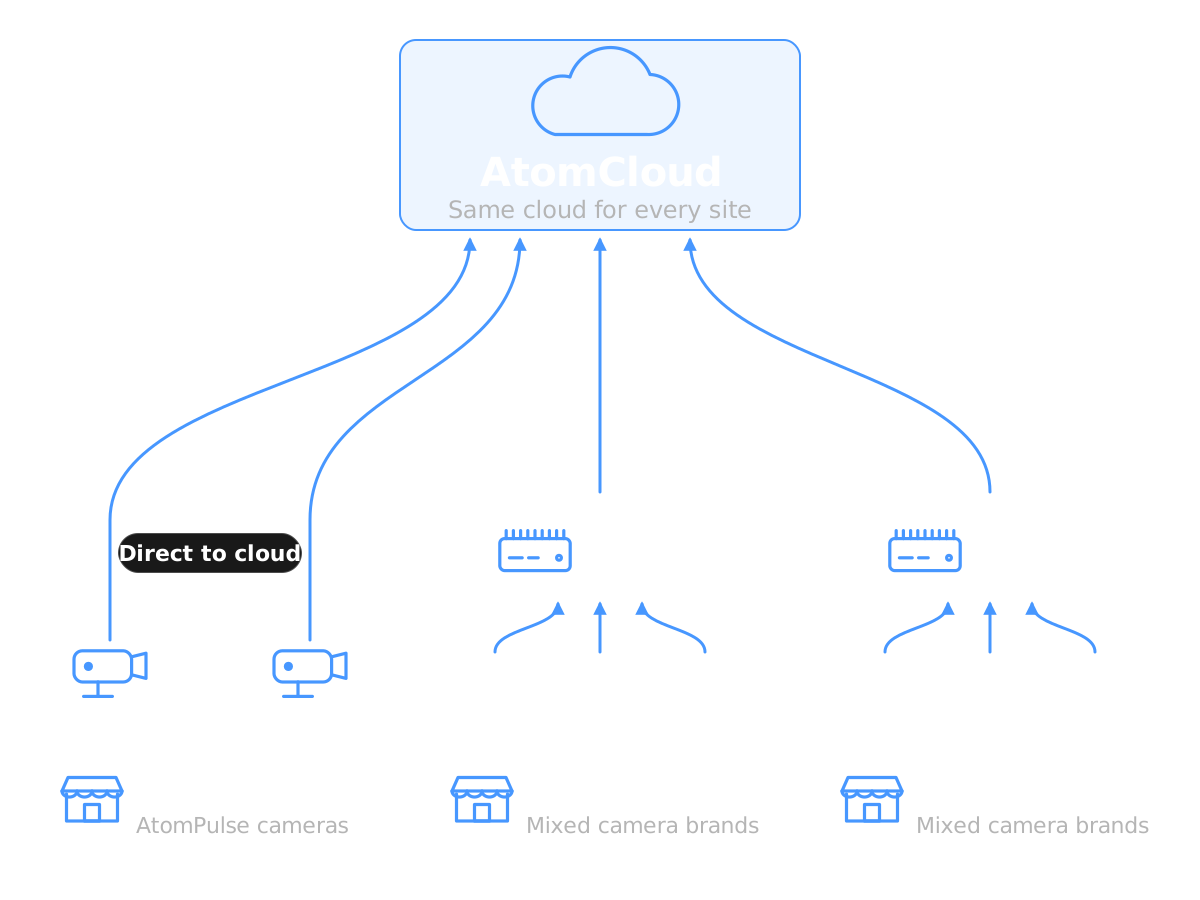
AtomPulse cameras, provided by our technology partner Lilin, connect directly to AtomCloud with simple AI in the camera. This is the fast deployment, with no Edge Computer on site.
The AEC200 connects to a wide variety of camera brands and runs lightweight AI on site. For heavier or custom AI, step up to the AEC300.
Both are managed in the same AtomPulse web console and AtomView, and an Atomrock Enabler or partner can help you choose the right option for each site.

An Atomrock Enabler installs AtomPulse cameras, which connect directly to AtomCloud, or an AEC200, a small box that sits anywhere convenient on the site network and connects a wide variety of camera brands. AI screens events in the AtomPulse camera or on the AEC200.
Events and video arrive at AtomCloud and are recorded under the plan you choose: Constant Recording or Event Recording.
Your team uses the AtomPulse web console in a web browser and the AtomView app on iOS and Android for live view, playback, and event alerts.
Events and footage are recorded on AtomCloud, with nothing on site to size or maintain beyond your cameras and, where you use one, a small Edge Computer. Open any moment from a browser or the AtomView app.
AtomPulse cameras run simple AI in the camera. The AEC200 runs lightweight AI starting with motion detection, with alerts scoped to the hours and cameras you choose, and adds line-crossing, people and vehicle detection, face matching and photo search as upgrades. Custom detection models can be developed for specific requirements on the AEC300.
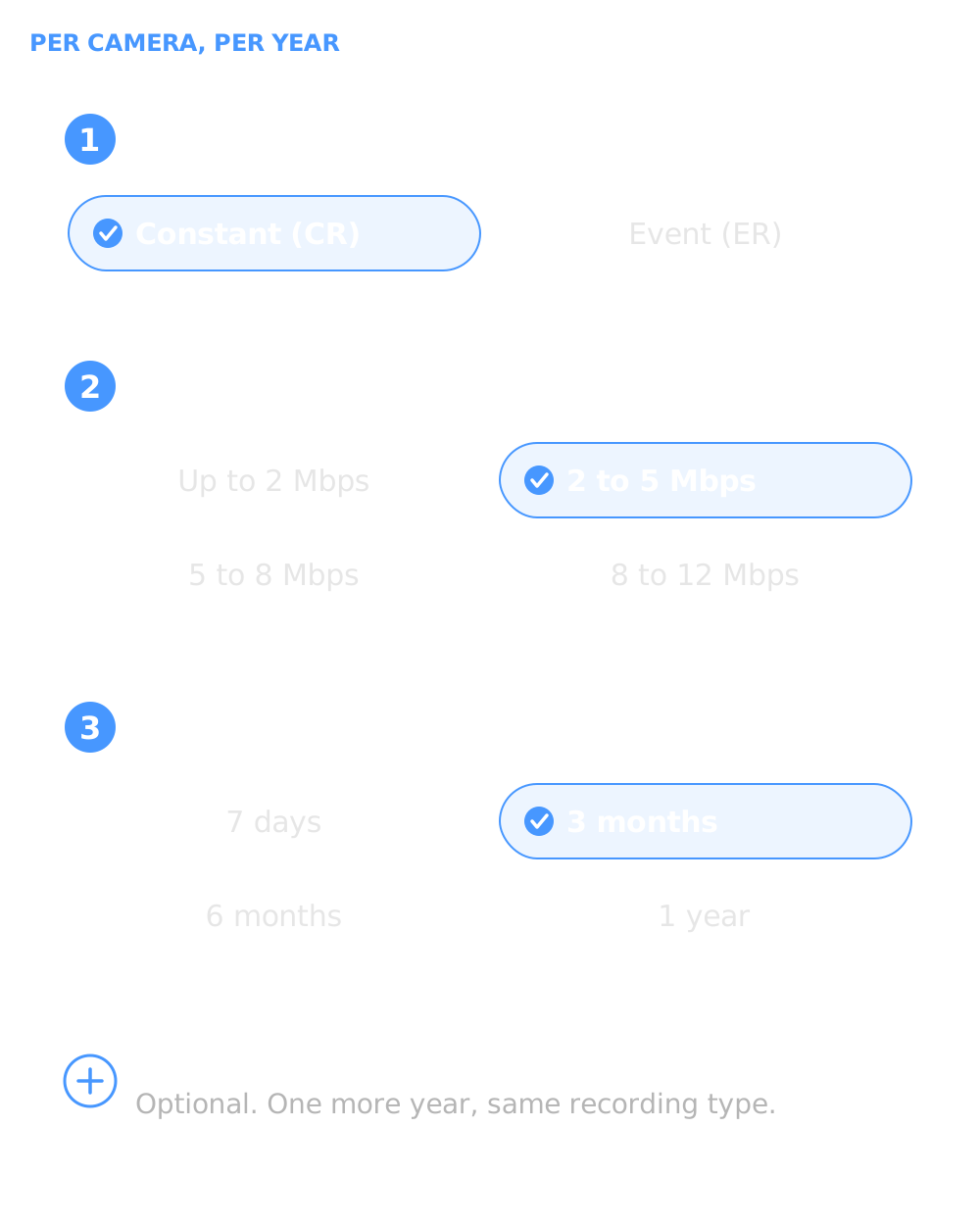
Choose Constant Recording to record around the clock, or Event Recording to keep footage around detected events. Choose 7 days, 3 months, 6 months, or 1 year of retention, and add Archive Vault to keep footage recorded after it is added for another year.
The AtomPulse web console gives operations teams live view, playback, and event review in a browser. AtomView on iOS and Android provides push alerts and on-the-go playback.
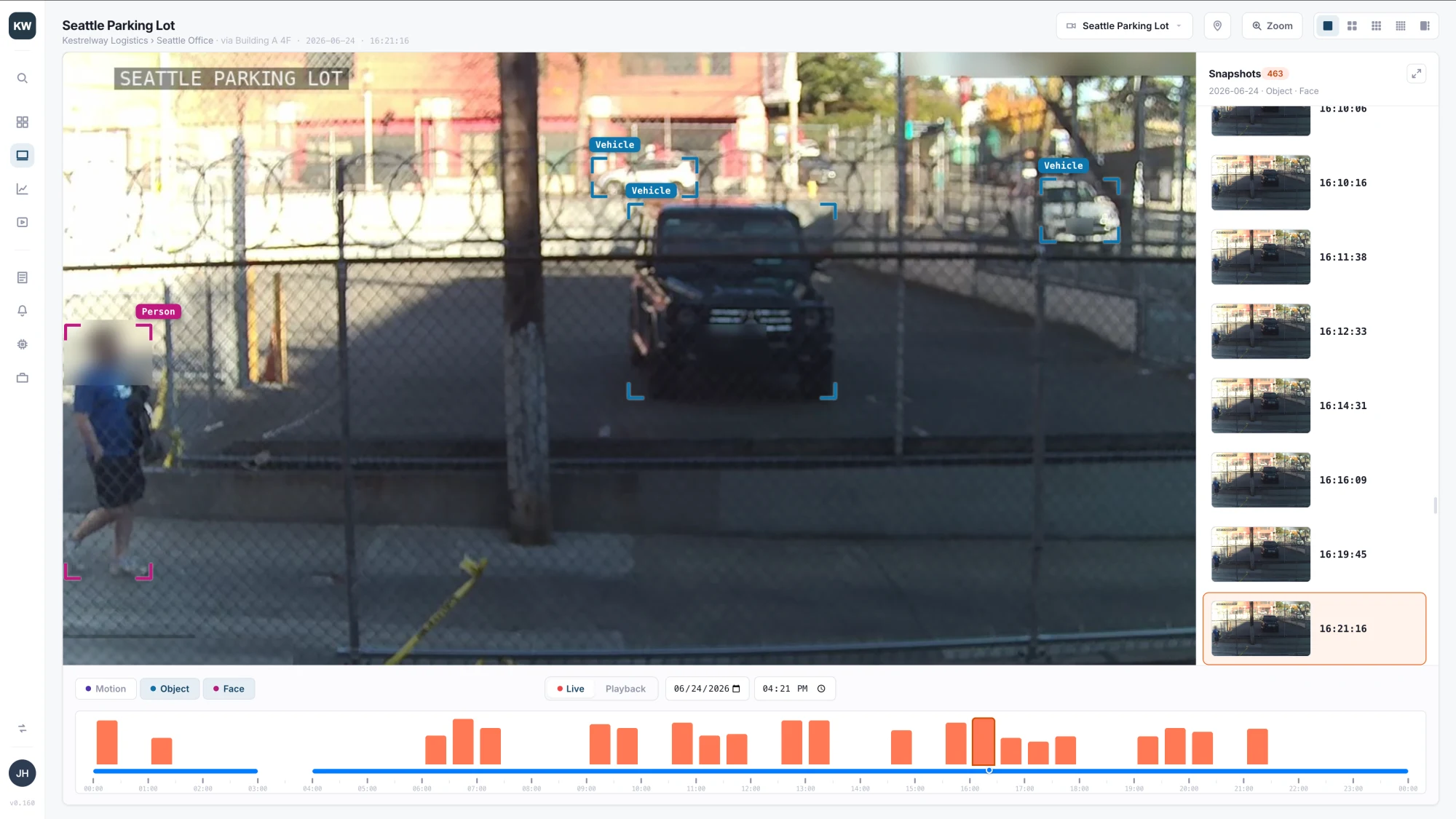
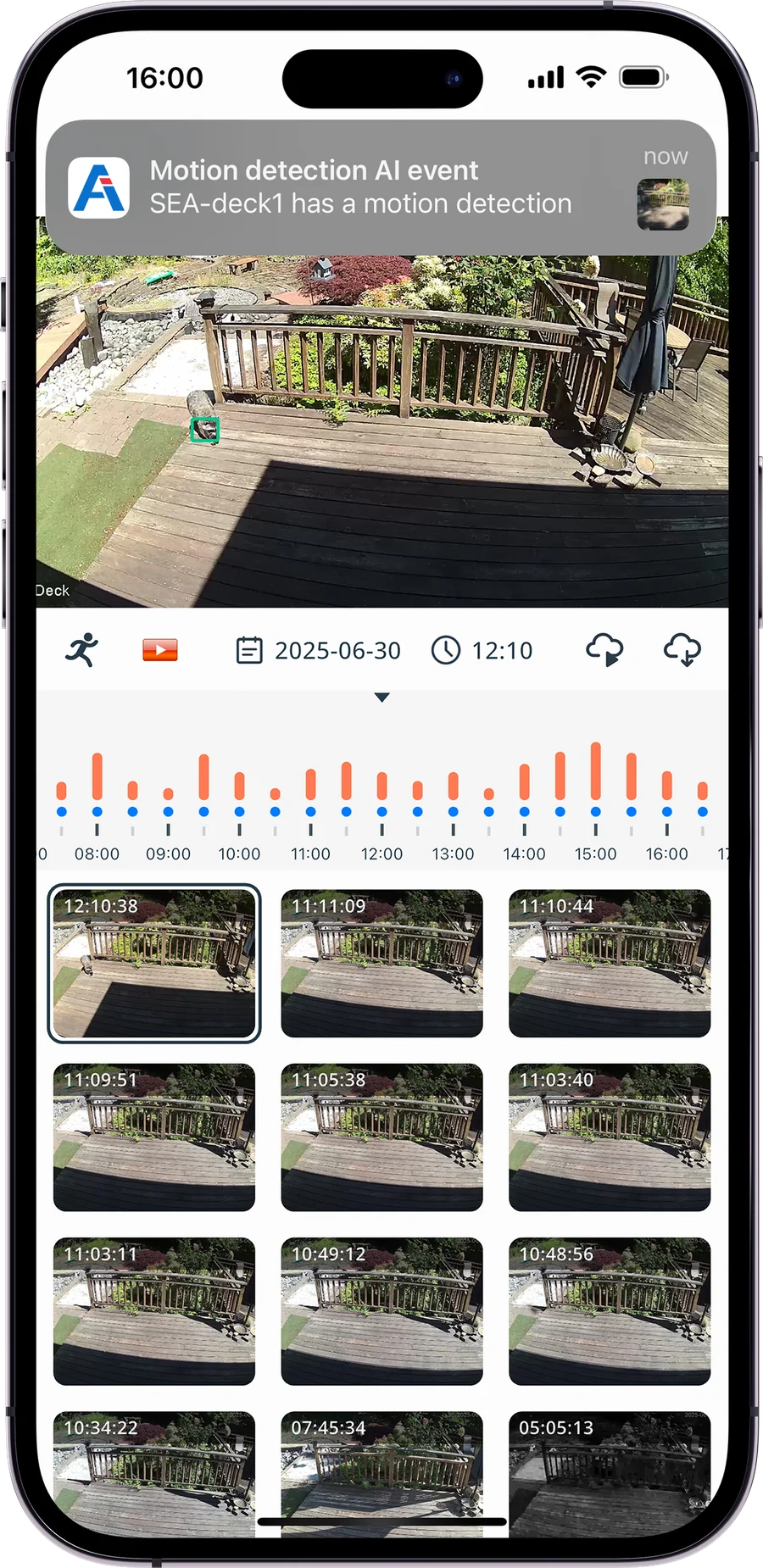
Manage cameras across locations from a single interface, with role-based permissions so each person sees what their role needs.
Atomrock is ISO 27001 certified for information security management, with an audit every year.
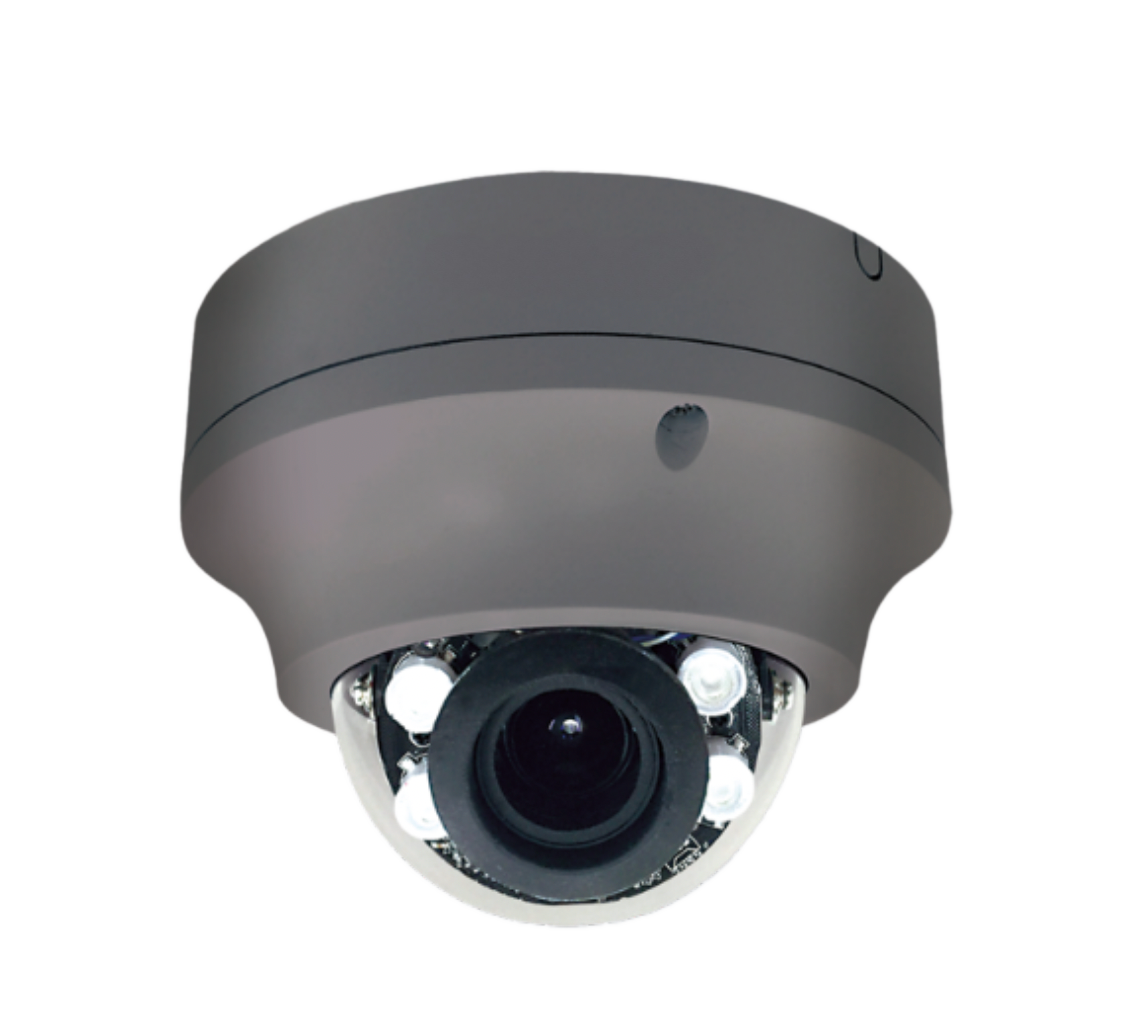 AtomPulse cameras (direct) AtomPulse cameras (direct) |
 AEC200 Edge Computer AEC200 Edge Computer |
 AEC300 Edge Computer (upgrade) AEC300 Edge Computer (upgrade) |
|
|---|---|---|---|
| How it connects | AtomPulse cameras connect directly to AtomCloud | Cameras connect to the Edge Computer on site, which carries them to AtomCloud | |
| Equipment on site | Cameras only, no Edge Computer | The Edge Computer plus your cameras: a small box, no server room | |
| Cameras | AtomPulse cameras | A wide variety of camera brands, including AtomPulse cameras and supported ONVIF/IP cameras | |
| AI | Simple AI in the camera | Lightweight, event-driven video AI: motion detection today; line-crossing, people and vehicle detection, face matching and photo search as upgrades | Task-specific models built for your process, such as fastener inspection on a production line or thermal analysis, plus high-performance detection, identification and tracking with real-time alarms |
| Best for | Fast deployment with no Edge Computer | Shops, offices, and multi-site businesses with cameras already in place or a mix of camera brands | High camera density on one site, or a process that needs its own detection model |
| Managed in | AtomPulse web console and AtomView, with cloud recording by subscription | ||
Not sure which fits? An Atomrock Enabler or partner can help you plan the mix for each site.
Example scenarios:
Event alerts after closing hours at stock rooms and back doors.

Entrance and lobby coverage with event alerts sent to the people responsible for each site.

Event alerts in parking areas and at service entrances outside business hours, reviewed from one dashboard.

A consistent setup at every location, managed from the web and AtomView, with no separate recorder at each site.
Add AtomPulse cameras where you need coverage fast, and bring the cameras you already have onto an AEC200.
AtomPulse recording is sold as a subscription per camera, per year. You choose three things:
Archive Vault adds one year of retention for footage recorded after it is added. It follows the same recording type as the plan and stays with it.
For pricing, contact us or your Atomrock Enabler or partner.
AtomPulse is Atomrock's cloud video line: AtomPulse cameras, the AEC200 and AEC300 Edge Computers, the AtomPulse web console, and the AtomView app. AtomPulse cameras connect directly to AtomCloud with simple AI in the camera, and an Edge Computer connects a wide variety of camera brands and runs AI on site. Every site is managed on the web and on mobile.
Not always. AtomPulse cameras from our technology partner Lilin connect directly to AtomCloud, so a site can run on cameras alone. Add an AEC200 to bring a wide variety of camera brands, including your existing ONVIF/IP cameras, onto the platform with lightweight AI, or an AEC300 when a site needs heavier or custom AI.
AtomPulse cameras include simple AI in the camera. The AEC200 runs lightweight AI starting with motion detection, with alerts scoped to the hours and cameras you choose, and adds line-crossing, people and vehicle detection, face matching and photo search as upgrades. For heavier or custom AI, step up to the AEC300: task-specific models built for your process, such as fastener inspection on a production line or thermal analysis, plus high-performance detection, identification and tracking with real-time alarms.
Yes. Supported ONVIF/IP cameras from a wide variety of brands connect to an AEC200 or AEC300 on site. Where licensed, they are managed in the AtomPulse web console and AtomView.
As a subscription per camera, per year. Choose Constant Recording or Event Recording, a bitrate tier, and a retention period of 7 days, 3 months, 6 months, or 1 year. Add Archive Vault to keep footage recorded after it is added for another year. The plan includes the camera's cloud connection and live view.
In a web browser with the AtomPulse web console, and on iOS and Android with the AtomView app.
Atomrock is ISO 27001 certified for its information security management system, which is audited every year and recertified every three years. You can also set role-based permissions in the AtomPulse web console so each user sees what their role needs.
AtomPulse camera hardware includes a 12-month limited warranty for manufacturing defects.
AtomPulse is now available in the U.S. through Atomrock Enablers and partners. Contact us to ask about availability in your area.
Apply through the Enabler Portal. Our team reviews each application. If there is a fit, we discuss the role and territory with you. Applying does not guarantee approval.